Skip to content
10 Top Project Management Software For Freelancers in 2026

Summary: This guide ranks the 10 best tools for solo freelancers in 2026. We skipped complex enterprise features to focus setup speed, client invoicing, and mobile ease of use. These are lightweight apps that stay out of your way and help a one-person business stay organized without complex menus.
When a hierarchy of tasks and completion dates start taking over your to-do list, it’s time to invest in a good project management tool. The right PM software can help you keep track of progress, hit deadlines and budgets, and avoid conflicts between team members.
Conversely, if you don’t invest in a good project management tool, even your freelancer’s work can turn simple projects into a headache.
That said, choosing the right solo project management tool is essential to the success of any organization, whether it’s a small team or a big one. But, if you are still wondering ‘what are project management tools,’ we got you covered!
10 Best free project management apps for solo freelancers
With project managers becoming more and more crucial to businesses, the functionality of project management tools has increased.
Compare top PM tools for solo freelancers by features reviewed by experts to consider in 2026.
1. Nifty: Best Overall For Project Management
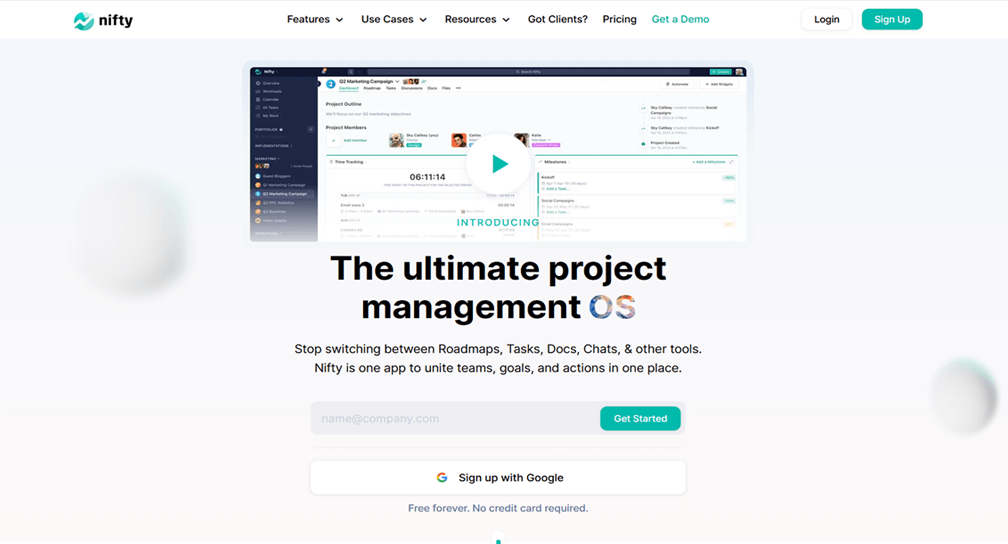
Nifty allows you to stop using sticky notes, whiteboards, and different excel sheets to track your project progress. It is an online project management tool that makes it easy to plan, track, and collaborate on your freelance projects.
With the ability to set a visual timeline, add tasks, and delegate them to team members, Nifty ensures that everyone is always on the same page.
This platform also makes it easy to navigate the various stages of your project with its features, ensuring that you never lose track of your progress.
The learning curve for Nifty is quite low, making it one of the best options for those who are new to project management. The ability to share documents with team members and clients also makes this tool stand out.
If you want to plan and track your projects in one place, Nifty is a great project management tool to consider.
Key Features:
- Start with clarity when setting up your projects in seconds.
- Never miss a deadline by tracking your progress and delegating tasks.
- Automate task assignments to keep your team on track.
- Get detailed breakdowns of your project’s progress.
- Get instant reports across projects and tasks to always stay on top of what’s going on.
- Export timesheets for easy billing.
Price: Free forever plan with unlimited tasks and users, while paid plans start at just $7/user/month
👉 Get started with Nifty for free
2. Monday.com: Best For Streamlining Work.
Monday.com is a great tool when it comes to boosting productivity and efficiency. It is an online project management tool that ensures maximum productivity when working on a project.
You can centralize all your work and conversations in one place with Monday.com, which makes it easy to stay on top of what needs to be done.
You can also get both the high and the low-level overview of your project with Monday.com’s suite of features.
Key Features:
- Easy, visual, and intuitive, Monday.com is a great project management tool for those who want to streamline their work.
- You can pick a template and get started immediately or get a high-level overview of your project with Monday.com’s easy-to-use interface.
- Monday.com also makes it easy to track progress and ensure that deadlines are met.
Try out free Monday Alternative
3. MeisterTask: Best For Executing Tasks.
MeisterTask helps you go from the planning stage to the execution stage of your project with ease. It is an online project management tool that makes it easy to know what to execute and get going.
With MeisterTask, you can easily delegate tasks, set deadlines, and track progress. You can also join conversations and collaborate with team members in real-time.
With Kanban-style project boards, MeisterTask is an excellent tool for those who want to focus on ensuring that tasks are completed on time and within budget.
If you want to customize your project management experience while ensuring that tasks are executed flawlessly, MeisterTask is the tool for you.
Key Features:
- The task management component helps you to manage and monitor your tasks easily.
- With MeisterTask, everything is in one place to get a clear overview of your project at all times.
- Get the right board to help you focus on your important business deliverables and ensure that they are completed efficiently.
4. Podio: Best For Working In Sync
Podio is a great project management tool for those who want to work in real-time with other team members. As such, it is an online project management tool that helps you keep everyone on the same page.
Podio allows you to create an environment where your team can work together, regardless of location.
You can also use their low-code platform to build custom apps for your business, allowing you to tailor your project management experience to your specific needs. If you want to drive your projects forward successfully, Podio is another excellent tool to consider.
Key Features:
- Web & mobile apps make it easy for your team to stay on top of their work, regardless of location.
- Automated workflows help you keep your project moving forward, even when you’re not there.
- Meeting scheduling ensures that everyone is always on the same page.
- Data visualization allows you to see your project’s progress at a glance.
- Social collaboration allows you to work with team members in real-time.
- Task management ensures that all tasks are completed on time and within budget.
- Granular access means that you can control who has access to what at a great level of detail.
5. Instagantt: Best For Gantt Chart Software
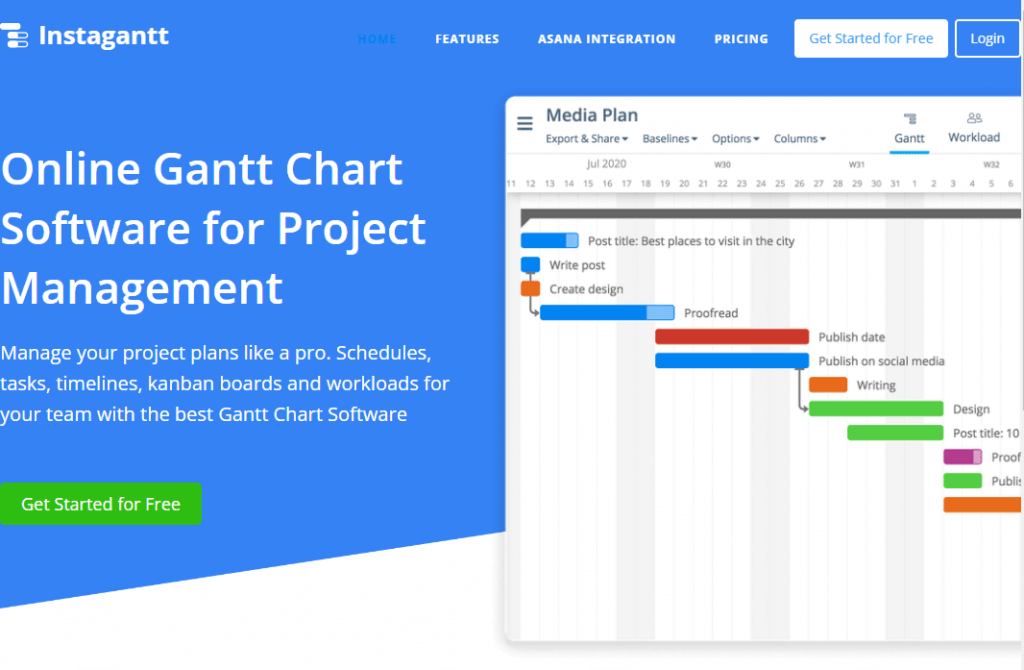
Instagantt is a great project management software for individuals and freelancers who want to create Gantt charts.
With Instagantt, you can easily track dependencies, set deadlines, and assign resources. You can also create custom reports to get a clear overview of your project’s progress.
With a professional and visually appealing interface, Instagantt is an excellent tool for those who want to track their project’s progress clearly and concisely.
With its drag-and-drop interface, Instagantt is also an excellent tool for those who want to quickly and easily manage their projects.
Working with dependencies and ensuring that all team members are always on the same page is crucial for any project’s success – Instagantt can ensure that your project is constantly progressing as planned.
Key Features:
- Drag & drop (with dependencies in mind) helps you quickly and easily manage your projects.
- Assign, split, plan, and collaborate to ensure that all team members are always on the same page.
- Workload management allows you to keep track of your project’s progress and ensure that it is always on track.
- Various board and Kanban views give you a clear overview of your project at all times.
- Dashboard and reporting allow you to customize your reports to see your project’s progress in the way that makes the most sense for you.
6. Asana: Best For Team Organization
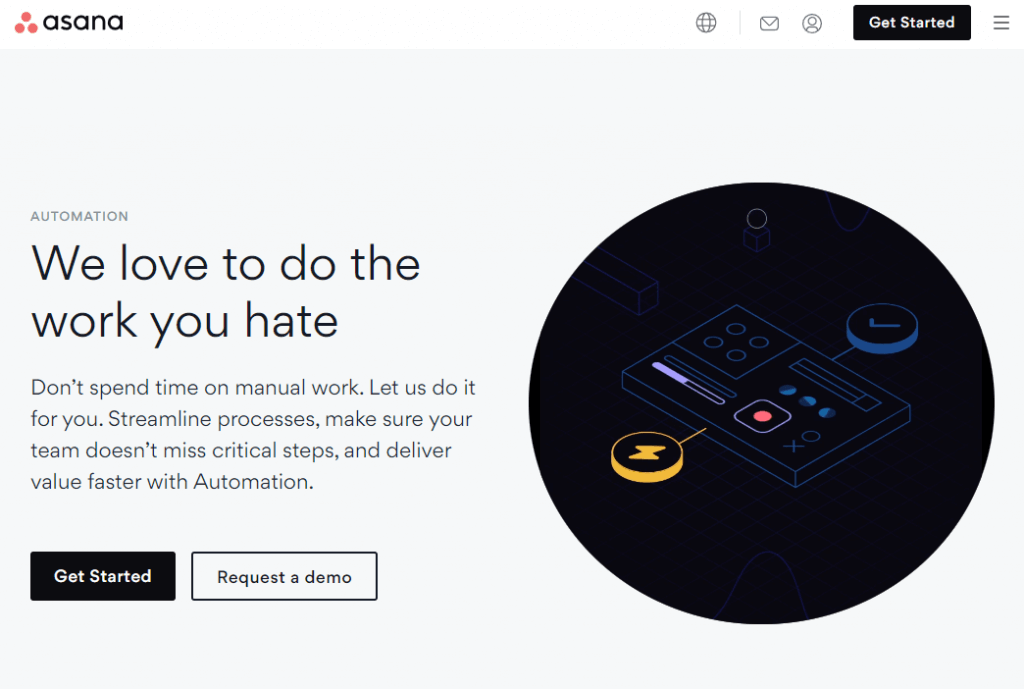
Needing little to no introduction, Asana is one of the most well-known project management tools out there.
This tool is an excellent tool for those who want to keep their team organized and on track. Asana also has a great mobile app so you can stay on top of your project while on the go.
You can also manage overlapping, dependent, or even unscheduled tasks to always be in control of your project.
Key Features:
- A workflow builder helps you quickly and easily create custom workflows for your team.
- With timelines, you can see your project’s progress at a glance and ensure that it is always on track.
- Asana’s board feature gives you a clear overview of all tasks and subtasks that your team has to accomplish.
- The in-build calendar ensures that all deadlines and milestones are met.
- App integrations allow you to connect Asana with the tools you use most often to manage all of your work in one place.
- Reporting allows you to customize your reports to see your project’s progress in the way that makes the most sense for you.
Get more afffordable Asana Alternative
7. ProofHub: Best For User Experience
ProofHub is a great project management tool for those who want a great user experience while managing their projects.
It’s also a straightforward tool to use with its simple interface that requires little to no learning curve.
You also easily integrate ProofHub with many other apps and tools to manage all of your work in one place.
Key Features:
- Request forms help you gather data from team members to make informed decisions about your project.
- Workflows ensure that all tasks are completed correctly and on time.
- Milestones help you keep track of your project’s progress
- Files and docs allow you to share data with team members so they can collaborate on the project.
- Approvals ensure that the relevant stakeholders approve all changes before they are implemented.
- Dependencies help you to track tasks that are dependent on each other so you can be sure that all tasks are completed in the correct order.
8. ClickUp: Best For Hitting Your Milestones
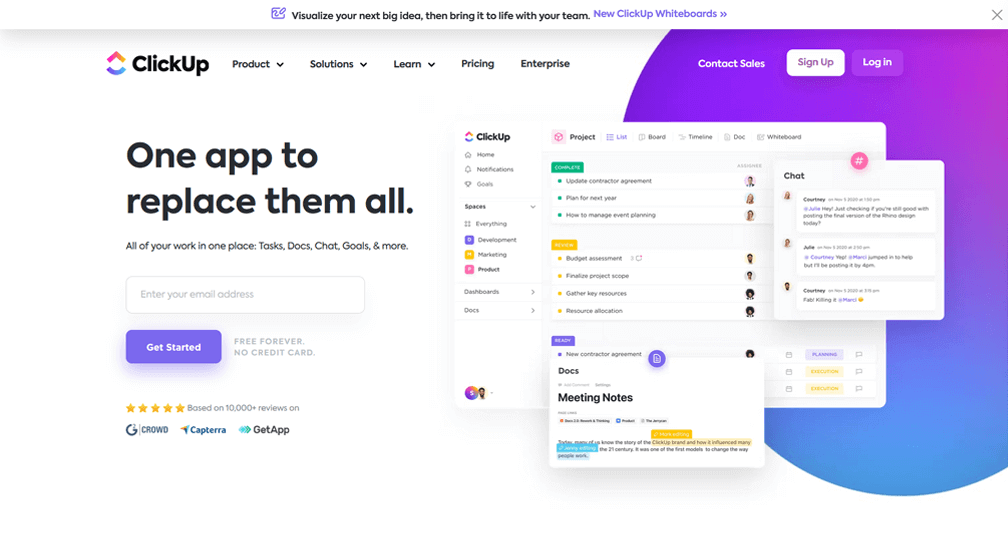
ClickUp is an excellent tool when doing project management and ensuring you hit your milestones.
With the ability to customize in as much detail as you want, ClickUp is perfect for those who want to be in complete control.
You can track progress in real-time with various tools that help you to see your project’s progress at a glance.
You can also use tools such as Figma and Invision directly in ClickUp to get a clear picture of your project before it is even started.
Key Features:
- Integrate your team’s Git workflows to see your project’s progress.
- Track bugs and issues to be sure they are resolved before they cause problems.
- Automate sprints to ensure that your team constantly works on the most critical tasks.
- Campaign management ensures that your marketing campaigns are on track and achieving their objectives.
- Content calendars help you keep track of all of your content to publish it at the right time.
Try one of the Best Clickup Alternative
9. Smartsheet: Best For Flexibility
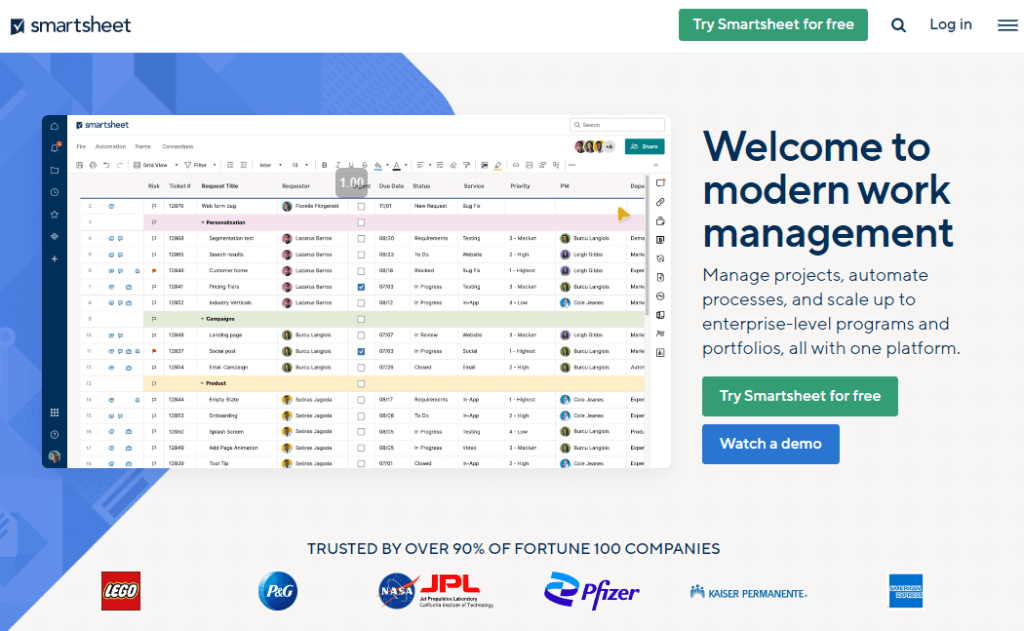
Smartsheet provides its users with varying ways to view their projects to find the one that works best for them.
This makes Smartsheet an excellent tool for those who want to be able to customize their project management experience.
With various workflows, reports, and views, Smartsheet is perfect for teams of all sizes.
Drive growth and impact with the help of Smartsheet’s goal management tool while ensuring that all of your projects are on track.
There are also a ton of possible integrations so you can manage all of your work in one place.
Key Features:
- Workflow automation ensures that all processes are completed in the correct order and on time.
- Process management at scale is a great feature of Smartsheet, as it allows you to manage multiple projects simultaneously while still keeping track of each one individually.
- Secure request management is also a key feature of Smartsheet, ensuring the relevant stakeholders approve all changes before they are implemented.
Looking for Smartsheet alternatives?
10. Teamwork: Best For Managing A Team
Whether you deal with an in-house team or use freelancers to work on your projects, Teamwork can help you manage both easily.
With the ability to create separate workspaces for different teams, Teamwork is perfect for those who need to manage multiple groups simultaneously.
You can also use time-tracking and task management tools to ensure that all tasks are completed as required.
You can also add advanced features such as chat, spaces, and CRMs to your workspace to manage all aspects of your project from one location.
If you’re looking for real-time collaboration between team members, then Teamwork is a great tool to consider.
Key Features:
- Time tracking ensures that all tasks are completed on time and within budget.
- Gantt charts allow you to see your project’s progress at a glance.
- The teams feature allows you to manage multiple teams simultaneously.
- The Kanban board view allows you to see all of your project’s tasks at a glance.
- Unlimited free client users mean that you can have as many people as you need working on your project without worrying about exceeding your budget.
Who Uses Project Management Tools?
There are tons of industries that use project management tools. The following are some of the most popular.
Bookkeepers
Bookkeepers use project management tools to keep track of deadlines, milestones, and progress on projects. This helps them stay organized and on top of their work.
With various dates, tasks, and resources to keep track of, bookkeepers need a way to manage it all. Project management tools help them do just that.
Travel Agents
Travel agents use project management tools to keep track of travel plans, schedules, and deadlines. With flights, hotels, and other travel arrangements, project management tools help travel agents stay organized and on top of their work.
In a time where travel arrangement changes at the very last minute, project management tools have become a travel agent’s best friend.
Health And Medical Companies
A company that provides health and medical solutions will use project management tools to keep track of all aspects of its projects.
Various modules with project management tools can notify the company if a patient is close to their appointment time, and on a smaller scale, it can keep track of inventory levels for products.
For example, if hearing aid maintenance is needed for a customer, project management tools can automatically create a task for the appropriate team member to follow up on and schedule an appointment.
This way, nothing falls through the cracks, and patients receive the best possible care.
Law Firms
Law firms use project management tools to keep track of deadlines, court dates, and client meetings. These firms provide solutions for contracts, securities, or LLC formation services. With the letter of the law to follow, project management tools help lawyers stay organized and on top of their work.
Failure to meet deadlines can have serious consequences, so law firms rely on project management tools to keep them on track.
Marine Companies
Marine companies use project management tools to keep track of the progress of their projects.
With boat inventory, accessories, and repairs all piling up during specific periods of the year, project management tools give some of the top marine companies the ability to track it all in one place while ensuring they can serve their customers promptly.
Key Features To Consider When Choosing A Project Management Tool for Freelancers
With so many project management tools on the market, it can be tough to decide which one is right for your team. After all, the success of your project depends on having the right tools in place to help you meet your goals.
When choosing a project management tool, there are a few key features you should look for.
1. Cost
The pricing and plans offered by project management tools can vary widely. Some tools are free to use, while others require a monthly subscription.
With some tools also charging per user and others offering a flat rate, it’s essential to know how many users will be using the tool and what features you need before making your purchase.
2. Ease of Use
Project management tools should be easy to use for all team members. If a tool is too complicated, it will only hinder productivity. Look for a tool with a user-friendly interface that is simple to navigate.
The learning curve should be minimal, so you can start using the tool as soon as possible.
3. Web-based or Desktop
When choosing a project management tool, you’ll need to decide whether you want a web-based or desktop application.
Web-based tools are accessible from any computer with an internet connection, while one must install desktop applications on each computer.
4. Mobile app
If you’re looking for a tool that can be used on the go, be sure to choose one that offers a mobile app. This way, you’ll be able to access your projects and tasks from your smartphone or tablet.
In addition, when your team is out of the office, they’ll still be able to stay up-to-date on what’s going on.
5. Integration with other software
If you’re already using other software, such as a CRM or accounting system, look for a project management tool to integrate with these applications. Then, you won’t have to enter your data in multiple places.
In addition, some tools offer pre-built integrations with popular software so that you can get started quickly and easily.
6. Project templates
Project templates can be a great way to get started with a new tool. These templates provide a framework for your project and help you get organized quickly.
The best project management tools also offer various templates that are sorted based on the various areas and needs of a business.
7. Reporting and analytics
Reporting and analytics features allow you to track the progress of your projects and identify any areas that need improvement.
Look for a tool that offers customizable reports to get the information you need to make informed decisions about your project.
8. Kanban Board view
The Kanban board view is a popular way to visualize the progress of your projects. This view allows you to see all of the tasks in your project and their current status.
With Kanban, you can easily see what needs to be done and who is working on each task.
9. Resource management
Resource management features allow you to track the time and materials used in your project. This information can help identify areas where your project is over or under budget.
In addition, resource management features can help you allocate resources more efficiently and avoid potential conflicts between team members.
10. Time tracking
Time tracking features allow you to track the time spent on each task in your project and when you learn new skills as well. This information can help identify areas where your project takes longer than expected.
In addition, time tracking can help you optimize your project schedule and allocate resources more efficiently.
In fact, time tracking concepts used in project management are also used by students that are learning new skills to optimize their study time.
This also means that one of the best study tips that students can use is to track their time while working on projects – sometimes even using the same tools as project managers.
11. Client collaboration features
If you have outward-facing projects, you’ll want to look for a tool that offers client collaboration features. These features allow your clients to log in and view the progress of their projects.
In addition, some tools offer additional features, such as the ability to leave comments or give feedback directly from within the time tracking module.
12. Security
When choosing a project management tool, security should be a top priority. Look for a tool that offers multiple layers of security, such as user authentication and data encryption.
13. Support for multiple languages
If you have a global team, you’ll want to look for a tool that supports multiple languages. This way, everyone on your team can use the tool in their native language.
Especially if you deal with remote teams, language support can be a lifesaver.
14. Scalability
As your business grows, you’ll want to choose a project management tool that can scale with you. Consider the size of your team and the number of projects you typically work on and choose a tool that can accommodate your potential future needs.
Start Managing Your Freelancing Projects With Nifty!
Freelancing gives you freedom, but it also comes with a lot to manage. Deadlines, client communication, and deliverables can pile up fast.
Nifty helps you keep it all together, so you can focus more on your work and less on the chaos.
Give Nifty a try and make project management feel easy again.
Frequently Asked Questions
Which PM apps offer free plans for freelancers?
- Nifty: Offers a “Free Forever” plan with unlimited team members and tasks for up to 2 projects.
- Trello: Best for visual freelancers with its generous 10-board limit and unlimited task cards.
- Asana: Perfect for small groups, allowing up to 10 collaborators on its basic free tier.
- ClickUp: Gives you a massive feature set for free, including unlimited tasks and members.
Lightweight PM apps for one-person teams?
- Nifty: Acts as a “one-window” hub where you can manage your tasks, docs, and chat without any clutter.
- Todoist: A very fast and simple list-based app that feels like a digital notebook for your daily tasks.
- Trello: A drag-and-drop kanban board that stays out of your way and requires zero training to use.
- Microsoft To Do: A completely free and basic tool that is perfect if you just want a simple checklist.
Which free apps integrate with Google Calendar?
- Nifty: Syncs your project deadlines and milestones directly to your Google Calendar so you never miss a date.
- Zoho Projects: Known for a very strong two-way sync that keeps your project schedules and meetings aligned.
- Trello: Uses a “Calendar Power-Up” to show your task due dates on your personal Google Calendar.
- Asana: Allows you to sync each project as a separate calendar layer in your Google account.
What are storage limits on free plans for top PM apps?
- Nifty: Provides 100 MB of total storage, which is plenty for simple documents and spreadsheets.
- Trello: Gives you unlimited total storage, but limits you to 10 MB per file upload.
- Asana: Offers unlimited total storage with a much larger 100 MB per file limit.
- ClickUp: Sets a hard cap of 60 MB total storage across your entire workspace on the free plan.


 2026 © Nifty Technologies, Inc. All rights reserved.