Skip to content
ClickUp vs Notion: Major Difference You Need to Know
In this era of remote work, the debate of ClickUp vs Notion has become increasingly relevant, with both platforms, alongside Nifty, revolutionizing how we manage tasks and workflows. Each of these power-packed tools shares a common mission but offers distinct features catering to a variety of needs.
In the following section, we will delve into a comprehensive comparison of ClickUp vs Notion, analyzing their unique strengths and identifying their overlaps. But we won’t stop there – Nifty will also enter the fray as we evaluate how it fares against these productivity titans.
Our goal? To guide you towards the tool that perfectly aligns with your remote work requirements and propels your team’s productivity to the zenith. So, without further ado, let’s get started!
Overview of ClickUp and Notion
Clickup Overview
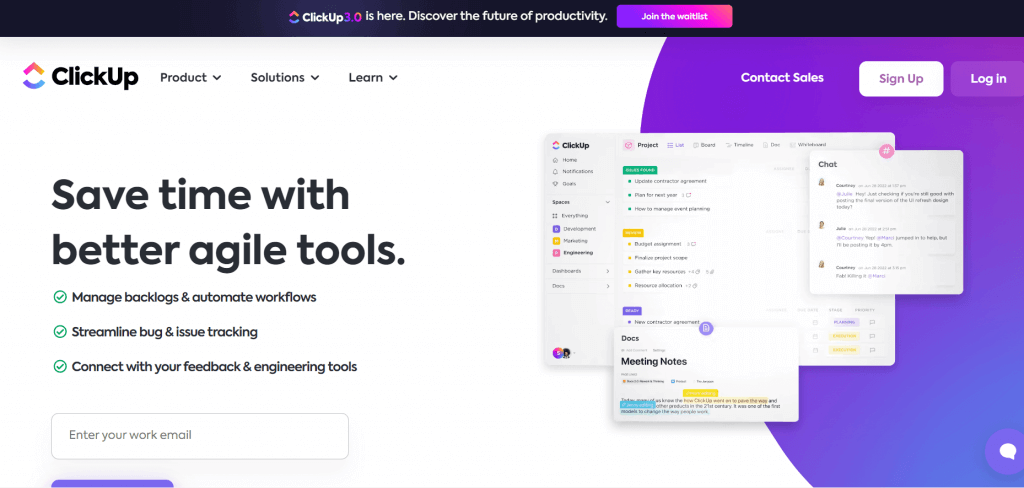
ClickUp, initially established with the objective of simplifying productivity, has quickly evolved into a paramount all-in-one platform for task management and team coordination.
As the company’s tagline, “One App To Replace Them All,” suggests, ClickUp is unyielding in its mission to become the ultimate solution for all productivity needs, even for personal use.
With a remarkable track record of raising $537.5 million in funding and supporting over 800,000 teams globally, ClickUp is a success story that continues to unfold. It’s an excellent tool for team collaboration and personal task management, making it a one-stop solution for various needs.
Based on user reviews, ClickUp has received commendable ratings across various platforms. The tool has an impressive score of 4.7 out of 5 on G2 (with 6996 reviews), the same 4.7 out of 5 on Capterra (with 3679 reviews), and a slightly lower but still good score of 8.6 out of 10 on TrustRadius (with 1026 reviews).
These ratings collectively indicate that ClickUp is well-received by its users, and people generally have a positive opinion of the tool.
Notion Overview
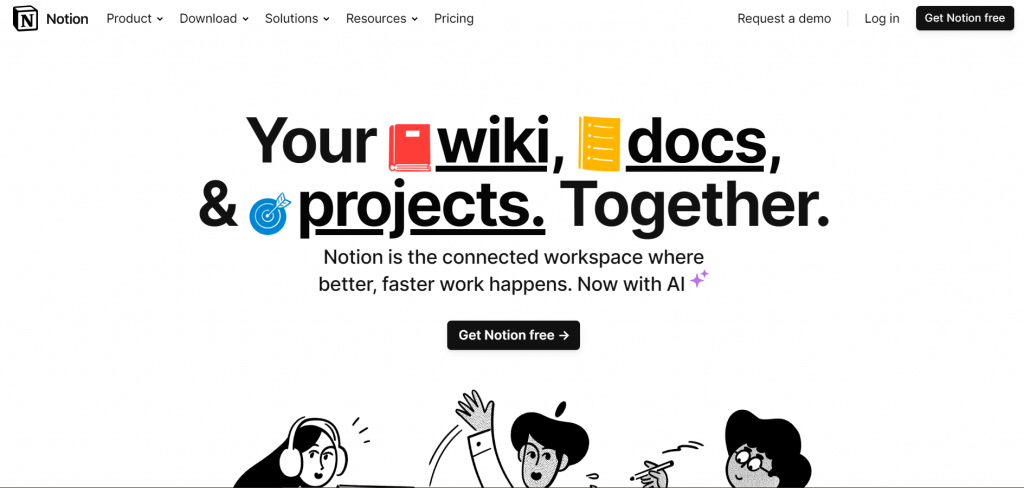
Notion, a robust project management, and note-taking tool, has swiftly gained popularity since its launch. Debuting just a year prior to ClickUp, Notion’s allure lies in its ability to consolidate multiple workspaces into a single, intuitive interface that streamlines collaboration and organization.
Boasting a remarkable valuation of $10 billion and serving a user base exceeding 20 million worldwide, Notion is committed to enriching both professional and personal productivity.
In fact, the keyword “Notion for personal use” has become increasingly prevalent, speaking volumes about its adaptability and broad functionality.
Just like ClickUp, Notion also boasts strong user reviews. On G2, Notion has a rating of 4.4 out of 5 (with 6154 reviews). On Capterra, it has the same score of 4.4 out of 5 (with 3681 reviews).
And on TrustRadius, it scored 8.2 out of 10 (with 900 reviews). These ratings suggest that Notion, similar to ClickUp, enjoys high user satisfaction and is generally viewed positively.
ClickUp vs Notion: An in-depth comparison
Comparing ClickUp and Notion, it’s clear both tools have their strengths. ClickUp stands out with its extensive feature set and automation capabilities, making it a robust platform for managing complex projects.
In contrast, Notion’s user-friendly interface and inherent simplicity make it an accessible tool, even for individuals who are new to project management platforms.
Now, let’s delve deeper into their key features for a comprehensive analysis and better understanding.
1. User Interface and Ease of Use
ClickUp User Interface and Ease of Use:
- User-friendly Design: ClickUp’s user interface is intuitive and logically organized, featuring a color-coded menu that simplifies navigation.
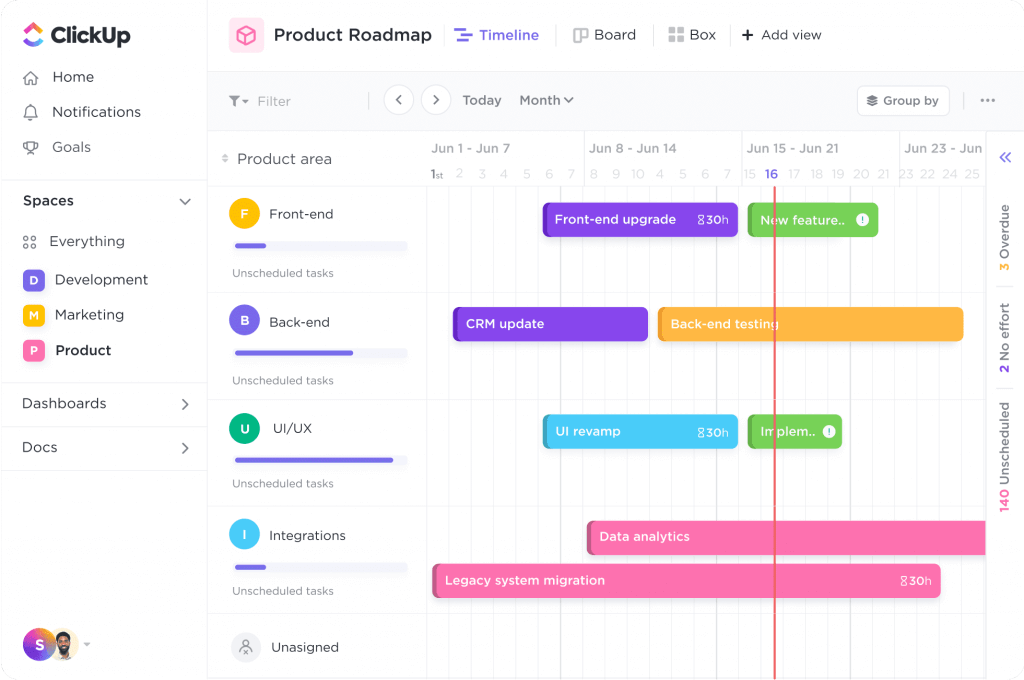
- Variety of Views: The platform provides multiple views for your tasks – List, Board, Calendar, and Gantt chart – customizable to your project needs.
- Quick Switcher Feature: A standout is the Quick Switcher, which helps you navigate quickly between tasks, documents, and chats.
- Learning Curve: While extensive in features, ClickUp may seem complex for new users. However, a plethora of in-app tutorials and resources make learning easier.
Notion User Interface and Ease of Use:
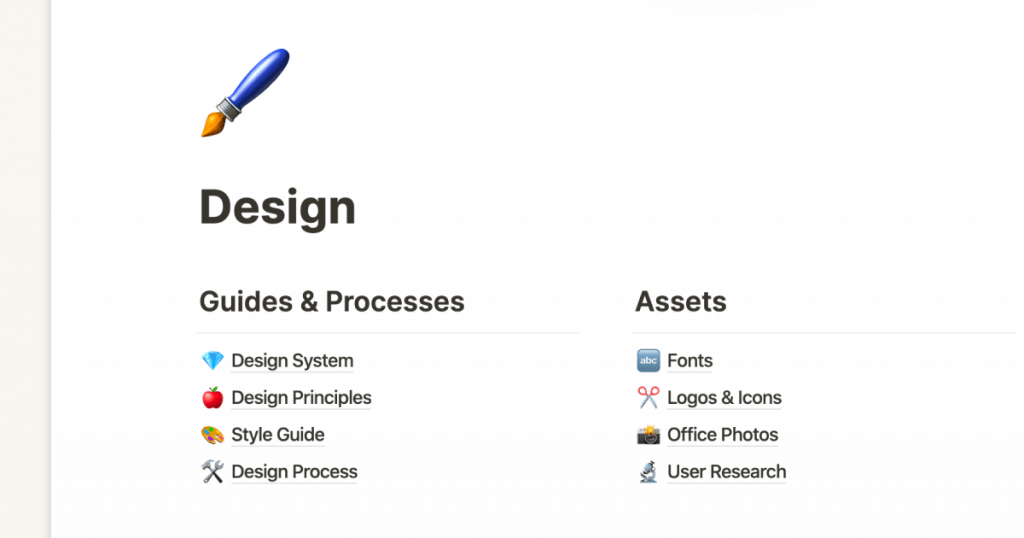
- Minimalist Design: Notion’s clean, minimalist interface features a simple left-hand menu for quick access to your workspace, favorites, and recent pages.
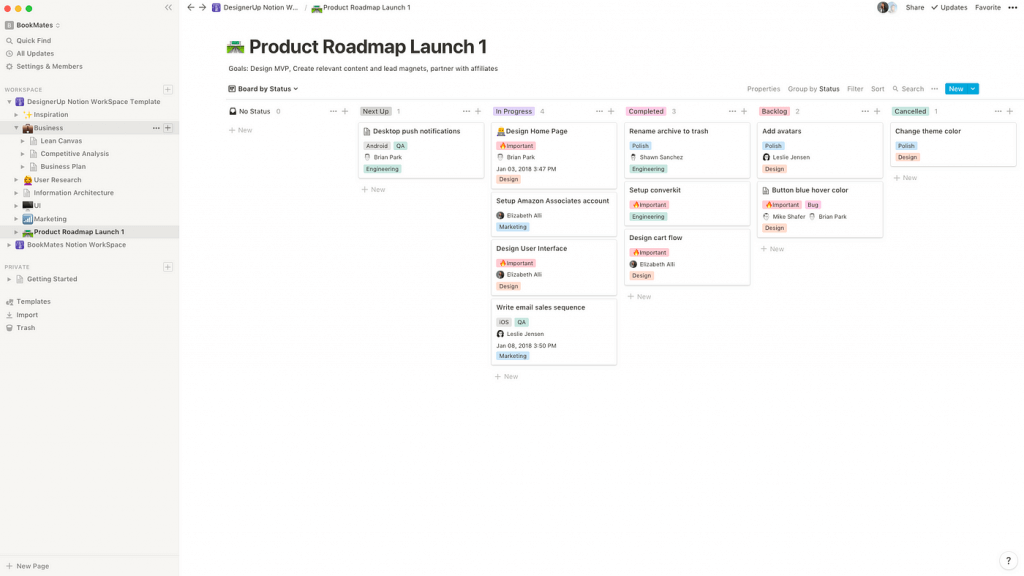
- Block-based Structure: Notion’s unique offering is its block-based structure, allowing users to move and format each content block individually. This allows for a personalized workspace.
- Dark Mode: A bonus is the dark mode feature, a delight for users who prefer a low-light interface.
- Learning Curve: Like ClickUp, Notion has a learning curve due to its flexibility. However, its intuitive design and rich online resources make the learning process more manageable.
The Verdict: In the race for the most user-friendly interface, Notion edges out its competition. It blends simplicity with functionality, offering an intuitive design that is easy for beginners to navigate.
Its customization options and AI-driven content suggestions further enhance user experience, making it a clear winner in the realm of user interface and ease of use.
2. Features and Functionality
ClickUp Features & Functionalities:
- Gantt Charts: A valuable tool in ClickUp’s feature set, Gantt Charts visualize project timelines, ensuring tasks and their deadlines are transparent and manageable.
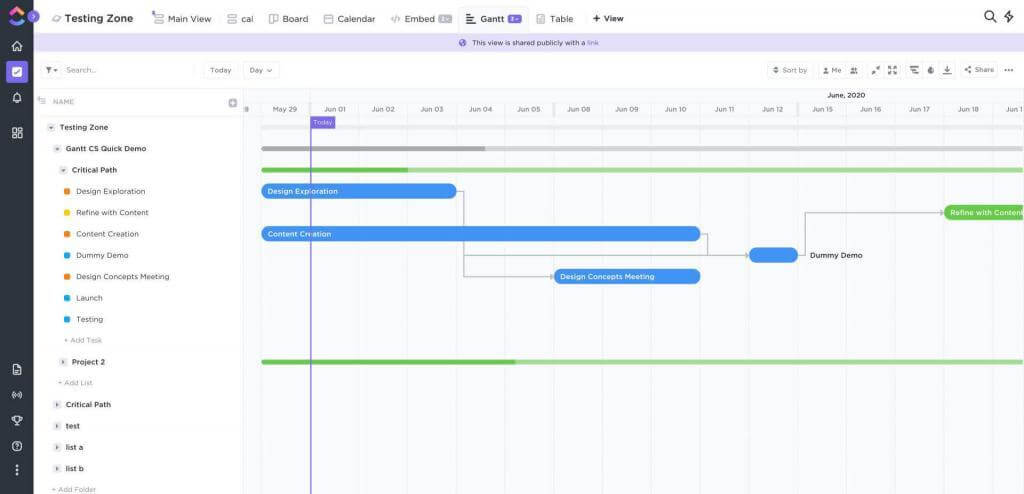
- Dashboards: Offering a bird’s eye view of projects, Dashboards provide crucial details at a glance, enabling efficient monitoring and informed decision-making.
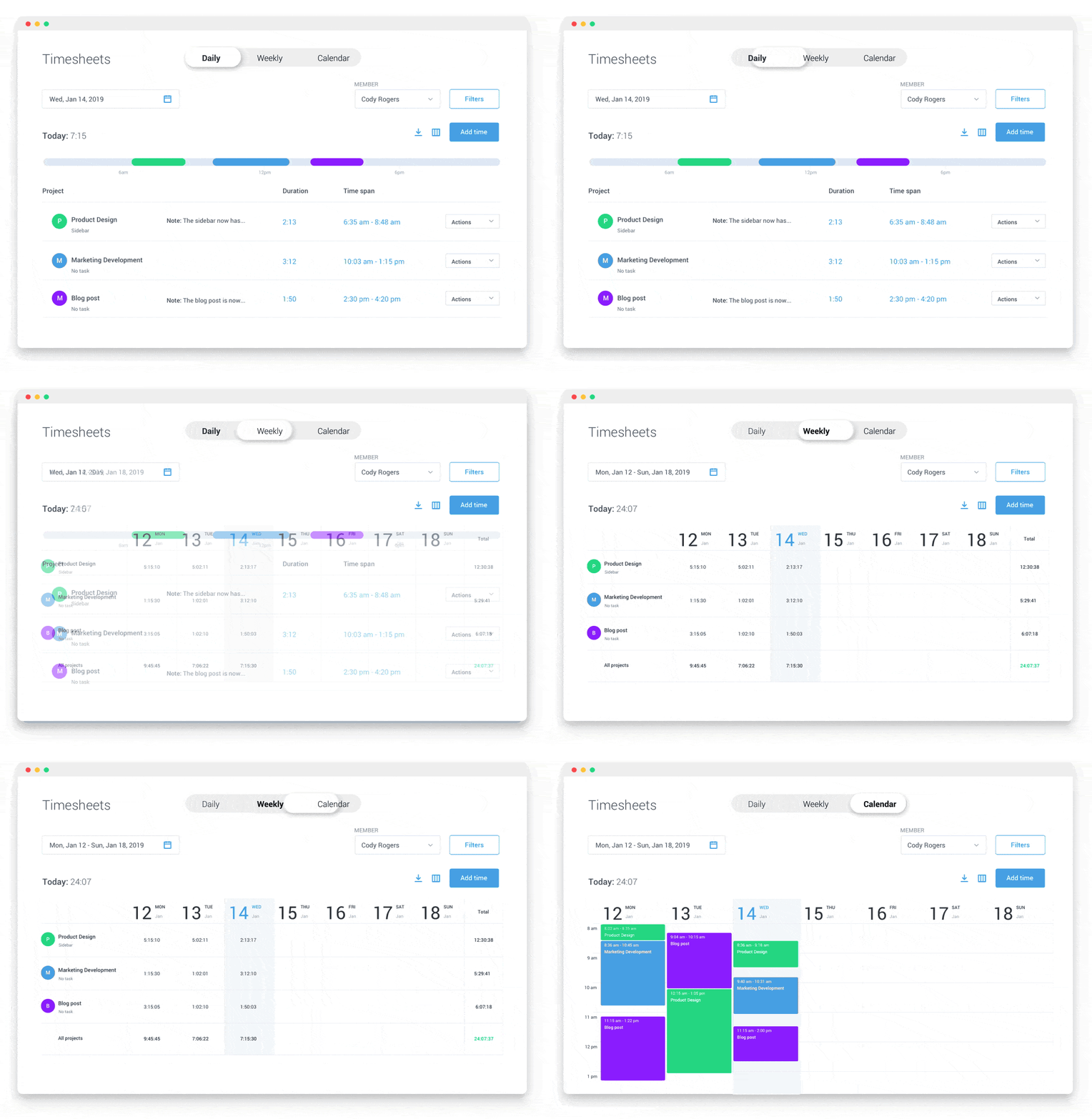
- Native Time Tracking: Focusing on efficient task time management, this feature helps to allocate and manage time effectively.
- Mind Maps: Designed for visualizing ideas and processes, Mind Maps aid brainstorming and innovative thinking, perfect for organizing and structuring thoughts.
- Automations: By reducing repetitive manual work, Automations enhance productivity. The added advantage of numerous integrations with other apps helps create a unified workspace.
- Email Management System: Streamlining communications is made easy with ClickUp’s in-app email management system.
- To-Do Lists and Kanban Boards: For task tracking, prioritization, and workflow visualization, these tools come in handy.
- Sprints: A godsend for Agile teams, Sprints allow efficient planning and tracking of Agile projects.
Notion Features & Functionalities:
- Customizable Database: This feature creates a personalized working environment allowing users to tailor workspaces to their needs.
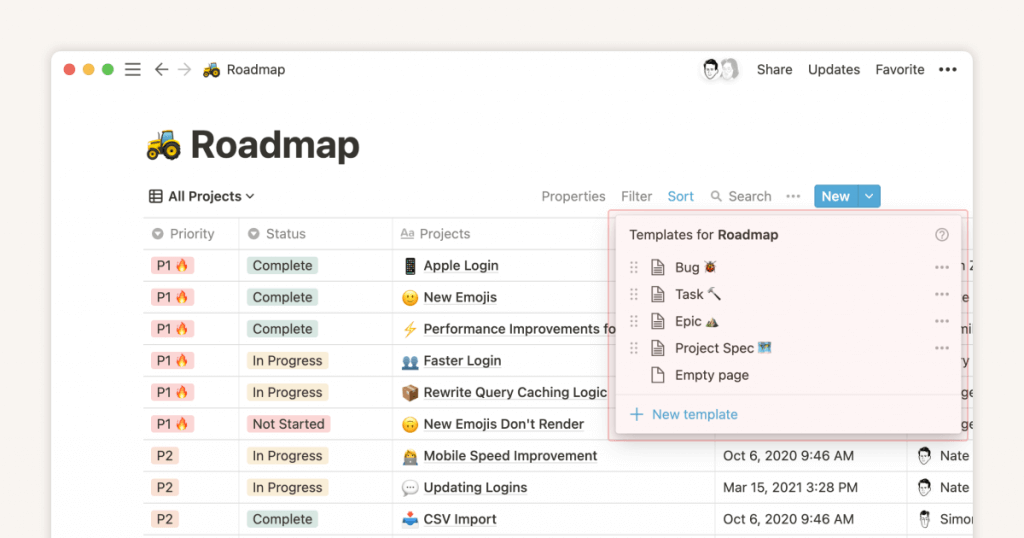
- To-Do Lists: These help in comprehensive task management and keeping track of tasks and deadlines.
- Docs and Wikis: Central to Notion’s collaboration suite, these tools foster a productive, collaborative environment.
- Kanban Boards: By aiding in the visualization of workflows, this feature helps teams understand task order and requirements.
- Document Sharing: Controlling access to files is made possible, adding a layer of security to the workspace.
- Timeline Views: This tool offers time-based project tracking, making planning and execution of tasks easier.
- Budgeting and Resource Allocation: These features assist in managing project costs and resources, keeping projects within budget, and optimizing resource use.
- Quick Item Search and AI Capabilities: These features make finding files or information easy and enhance task management, adding a smart edge to your workspace.
The Verdict: Although both ClickUp and Notion are well-equipped with beneficial features, ClickUp takes the crown in terms of its comprehensive toolset. It shines in areas like Gantt charts, integrated time tracking, email management, and Agile project management with sprints, offering a robust platform for managing complex projects.
Therefore, when considering diverse project management features, ClickUp outperforms Notion, making it the victor in this category.
3. Pricing and Plans

- Free: The Free plan is best for personal use and offers features like 100MB storage, unlimited tasks, unlimited free plan members, two-factor authentication, and collaborative docs.
- Unlimited ($7 per member per month): The Unlimited plan is designed for small teams, offering unlimited storage, unlimited integrations, unlimited dashboards, guest permissions, and unlimited Gantt charts.
- Business ($12 per member per month): The Business plan is ideal for mid-sized teams, with advanced features like Google SSO, unlimited teams, custom exporting, advanced public sharing, and advanced automations.
- Enterprise: The Enterprise plan is designed for large teams, offering advanced permissions, enterprise API, unlimited custom roles, single sign-on (SSO), and live onboarding training.
Notion Pricing:
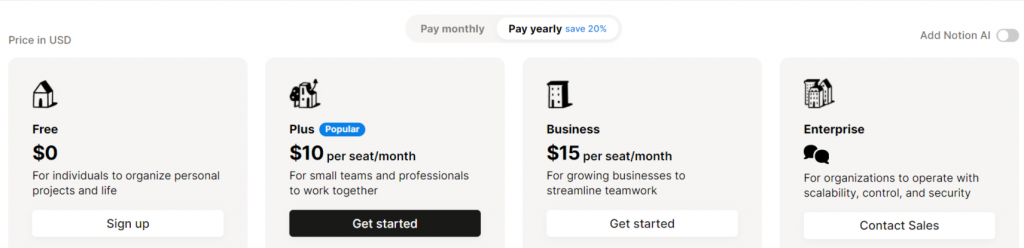
- Free: The Free plan is ideal for individuals or teams who want to organize their work and life. It offers unlimited blocks for individuals, limited block trials for teams, basic page analytics, 7-day page history, and integration with Slack, GitHub, etc.
- Plus ($10 per month): The Plus plan is designed for small groups looking for advanced organization capabilities. It includes all features from the Free plan, with additions like unlimited blocks for teams, unlimited file uploads, and a 30-day page history.
- Business ($15 per month): The Business plan is built for companies needing to connect several teams and tools. It includes everything from Plus and additional features like SAML SSO, private team spaces, bulk PDF export, and advanced page analytics.
- Enterprise: The Enterprise plan is ideal for large organizations needing advanced controls and support. It encompasses all features of the Business plan and offers additions like user provisioning (SCIM), advanced security and controls, an audit log, and a dedicated success manager.
The Verdict: When comparing Notion and Clickup pricing, both have versatile pricing plans. Notion focuses on collaboration and workspace organization, whereas ClickUp centers on task management and granular permissions.
However, ClickUp’s per-member pricing and extensive features make it a more cost-effective choice for diverse team sizes.
4. Integration and Compatibility
The role of software is not to isolate but to connect. In today’s fast-paced world, integration with other tools is paramount for any productivity software, enabling a smooth workflow across different platforms and eliminating unnecessary app-switching.
ClickUp realizes this need for connectivity, offering a vast array of integrations with over 1,000 apps. Whether it’s Slack for communication, Google Calendar for scheduling, Github for code management, or Zoom for meetings, ClickUp ensures you can find all these tools in one place.
This is where features like ClickUp Notion integration come into play, allowing you to leverage the strengths of both platforms in a unified workflow and get the most out of your project management setup
However, Notion, while it provides an all-encompassing workspace, takes a different approach to integrations. The notion may offer fewer integration options than ClickUp, but it focuses on depth over breadth.
Key integrations like Google Drive and Figma, along with Embeds for various content types, are designed to be impactful and functional, upholding Notion’s core philosophy of being an all-in-one workspace.
The Verdict: If a wide array of integrations is your priority, ClickUp stands out. It connects with a myriad of apps, promoting a seamless workflow across various platforms.
However, if you value depth over breadth, Notion comes into play. Its integrations, while fewer, are impactful and designed to serve your workspace meaningfully. So, in the integration battle, ClickUp champions diversity while Notion stands for quality; the winner depends on your specific needs.
Customer Support and Community
While both ClickUp and Notion offer impressive customer service and community engagement, they have unique approaches. ClickUp shines with its ClickUp University, a comprehensive learning platform for new and existing users, and its consistent, positive reviews of customer support.
On the other hand, Notion stands out for its commitment to continuous improvement, user feedback, and a vibrant global community where users can connect, share, and grow together.
The Verdict: In terms of customer service and community support, it’s a tight race, but Notion takes a slight edge due to its dynamic, user-driven community. However, your choice should depend on whether you prefer a structured learning environment like ClickUp University or a lively community-driven ecosystem like Notion’s.
Why Nifty is a more ideal choice
In the realm of project management, Nifty presents a competitive alternative to ClickUp and Notion, offering a distinct blend of simplicity, affordability, and compatibility. Used by over 20,000 teams, Nifty incorporates various features that cater to diverse needs. Here’s a breakdown of why Nifty stands out:
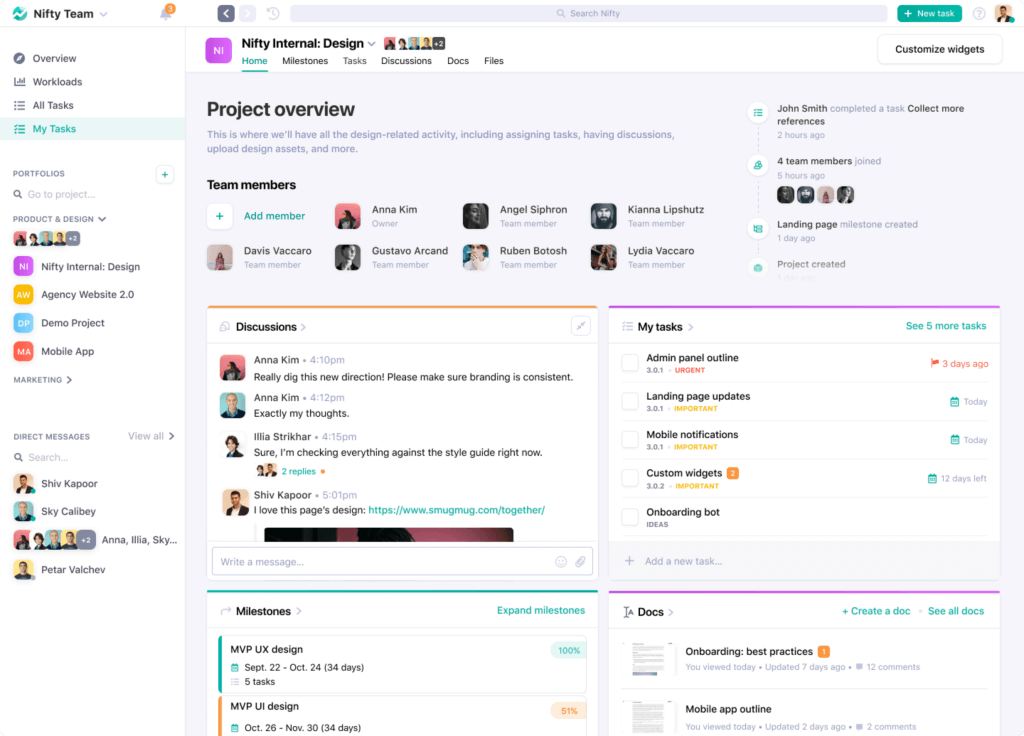
Ease of Use: Nifty’s intuitive interface provides a seamless user experience. Its layout facilitates easy team communication and collaboration, with Google Docs integration enhancing this further.
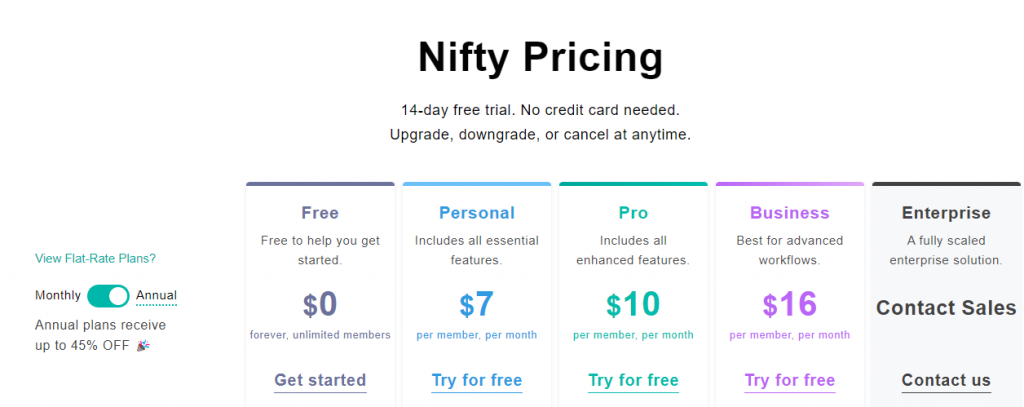
Pricing: Nifty stands out with its cost-effective approach to pricing. Unlike the ClickUp pricing model, which charges per member, Nifty offers flat-rate pricing based on team size. This makes it an economical choice for larger teams. Visit Nifty’s pricing page for detailed information.
Features: Nifty comes equipped with comprehensive features found in both ClickUp and Notion, including task management and product road mapping. This provides a wide array of options for project management under a single roof.
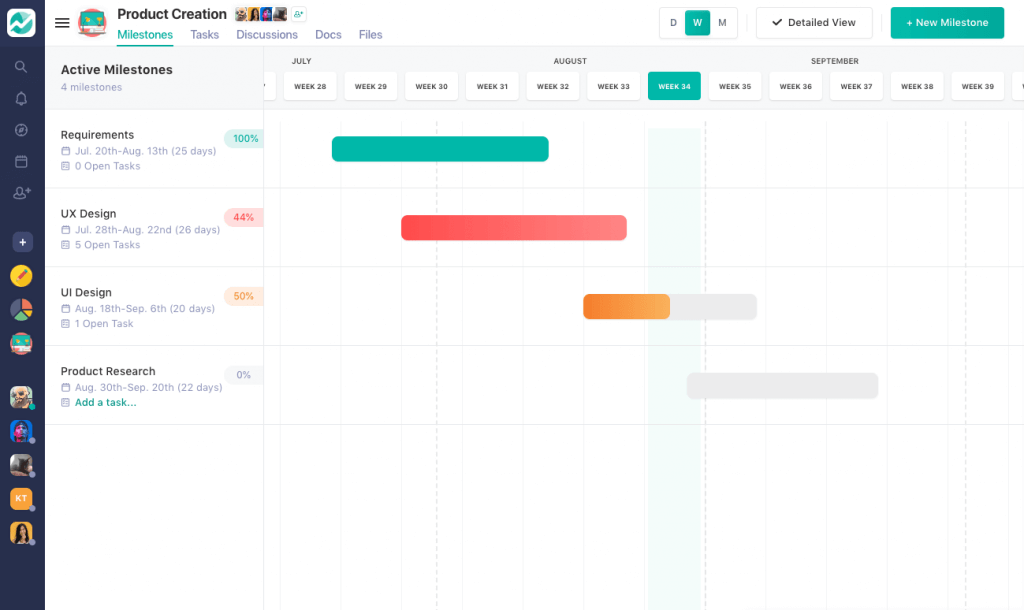
Having personally used both platforms, Aryan Jalan, a marketing consultant, encapsulates the appeal of Nifty:
“While I had been using ClickUp for a long time, after discovering NiftyPM, I found it to be the comprehensive tool that significantly propelled my marketing efforts and helped grow my SEO business. Its simplicity, affordability, and powerful integrations make it an incredibly efficient tool, especially for larger teams.
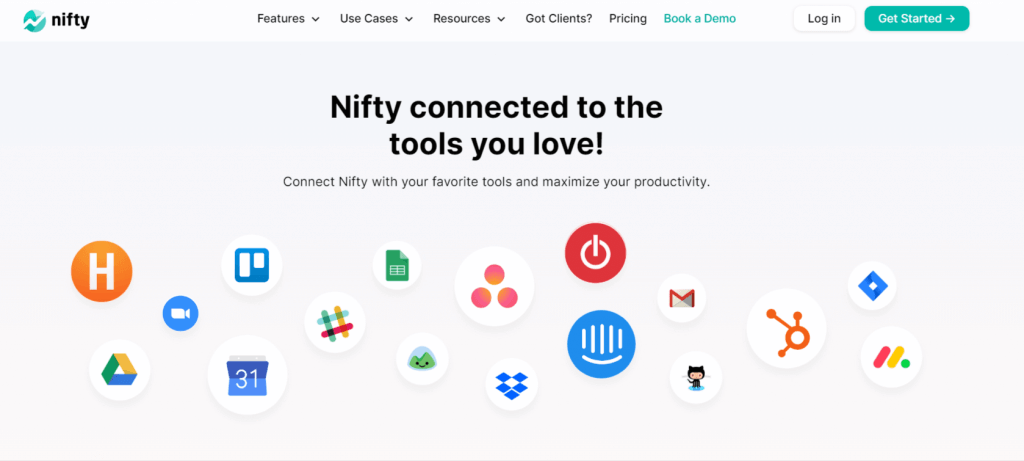
Integrations: Nifty boasts compatibility with over 2,000 apps, providing a more diverse range of integrations than ClickUp and Notion. This versatility allows for efficient workflow automation and seamless transitions from other project management tools like Asana or Trello. Check out Nifty’s integrations to explore its capabilities.
Customer Support: Nifty offers reliable customer support on par with that of ClickUp and Notion. Its emphasis on customer satisfaction ensures your concerns are addressed promptly, helping you focus on your productivity.
Conclusion
In the crowded market of project management tools, Nifty stands out with its easy and effective project management. It’s great at handling tasks, has a clean interface, and gives you helpful reports. Plus, it’s easy to use, even if you’re new to project management software.
ClickUp and Notion are good too, but Nifty offers a simple, powerful tool that’s worth looking at. It works for small and big teams and different kinds of work, showing us that managing projects doesn’t have to be hard or confusing.
So, at the end of the day, the best project management tool for you will depend on what your team needs and what you can afford. But with its clear benefits and success in helping manage projects, Nifty is a top choice to consider.
We hope that this comparison has helped guide you toward the right choice. Best of luck in your pursuit of productivity and effective collaboration! FYI, Nifty offers free, no-condition SignUp.


 2026 © Nifty Technologies, Inc. All rights reserved.